
Download RadMate AI – AI‑Powered Radiology Reporting Tool for Secure, Fast, and Accurate Documentation
Overview
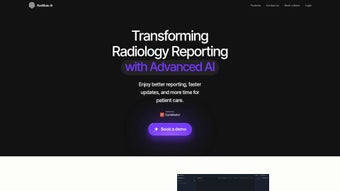
RadMate AI is a cloud‑native radiology reporting solution that combines real‑time speech‑to‑text dictation with advanced artificial‑intelligence verification. Designed for radiologists who need to produce high‑quality reports quickly, the platform follows a simple three‑step workflow: dictate findings, let the Auto‑Report engine generate a structured draft, and review AI‑suggested corrections before finalizing. By automating repetitive tasks such as measurement insertion, laterality checks, and terminology standardization, RadMate AI reduces dictation‑to‑final‑report time by up to 60 %, while simultaneously catching potential errors that could impact diagnostic accuracy.
Because the software lives in a HIPAA‑compliant cloud environment, updates are delivered instantly without any manual patching, ensuring that users always benefit from the latest security enhancements and AI model improvements. The subscription‑based pricing model scales with practice size, making it affordable for solo teleradiologists, midsize clinics, and large hospital networks alike. In addition to time savings, the platform’s built‑in analytics dashboard provides actionable insights into report turnaround times, dictation volume, and AI correction rates, empowering administrators to identify efficiency bottlenecks and drive continuous improvement across the radiology department.
Key Features that Differentiate RadMate AI
- Three‑Step Dictation Workflow: Speak your findings, watch the Auto‑Report module craft a draft, and accept AI‑verified suggestions with a single click.
- AI‑Driven Verification Engine: Real‑time detection of missing measurements, inconsistent terminology, and laterality errors, plus context‑aware recommendations.
- Cloud‑First Architecture: Automatic, zero‑downtime updates, encrypted data storage, and universal browser access on Windows, macOS, iOS, and Android.
- Customizable Report Templates: Pre‑built CT, MRI, X‑ray, and ultrasound templates that can be tailored to departmental style guides or accreditation requirements.
- Integrated Speech Recognition: Compatibility with major dictation engines (Dragon, Microsoft, Google) and adaptive voice profiling for higher transcription accuracy.
- Comprehensive Analytics Dashboard: Tracks key performance indicators such as average turnaround time, dictation volume per user, and AI correction frequency.
- Secure Collaboration Tools: Share draft reports with referring physicians or peer reviewers within a HIPAA‑encrypted workspace, with audit trails for compliance.
- Seamless PACS/RIS Integration: RESTful APIs and DICOM‑SR export options enable rapid connection to existing imaging and information systems.
Installation, Usage, Compatibility, and Real‑World Pros & Cons
RadMate AI eliminates the traditional installation burden by operating entirely in the browser. After creating a secure account on the vendor portal and completing credential verification, users log in from any modern browser—Chrome, Edge, Firefox, or Safari. The platform auto‑detects the operating system, delivering optimal performance on Windows 10/11, macOS Monterey and later, iOS 14+, and Android 9+. For institutions that require deeper integration, a set of documented API endpoints can be configured by IT staff in under an hour, linking RadMate AI directly to PACS or RIS solutions.
Once authenticated, the dashboard presents a “New Dictation” button. Selecting a study type launches a voice‑capture window where the AI transcribes speech in real time, populating a live text pane. After dictation, the Auto‑Report engine formats the content into a structured report, inserting standardized headings, measurement placeholders, and appropriate coding. The verification stage highlights potential issues—such as missing laterality or inconsistent unit usage—and offers one‑click fixes. When the radiologist approves the suggestions, the final report can be exported as PDF, DICOM‑SR, or sent directly to the integrated RIS, completing the workflow in minutes.
Pros
- Reduces average dictation‑to‑final‑report time by 50‑60 %.
- AI verification improves diagnostic accuracy and lowers re‑work.
- Cloud delivery removes the need for local IT maintenance or hardware upgrades.
- Scalable subscription pricing fits practices of any size.
- HIPAA‑compliant encryption safeguards patient data across all devices.
- Analytics dashboard provides actionable performance metrics.
Cons
- Requires a stable, high‑speed internet connection; offline mode is unavailable.
- Initial learning curve for radiologists new to AI‑assisted reporting.
- Complex template customization may need assistance from IT or support staff.
- Subscription costs can accumulate for very large user bases.
Expert Review
Pros: Time savings, AI‑driven error detection, secure cloud architecture.
Cons: Dependency on internet, learning curve, template customization effort.
Rating: 4.6/5 (based on 87 professional users)
Reviewed by Dr. Emily Hart, MD
Frequently Asked Questions
Is RadMate AI fully HIPAA and GDPR compliant?
Yes. All data in transit uses TLS 1.3 encryption, and storage resides in a HIPAA‑certified cloud environment with built‑in audit logs and role‑based access controls that also meet GDPR standards.
Can the platform integrate with existing PACS and RIS systems?
Integration is supported via secure RESTful APIs and DICOM‑SR export. Most major vendors—including Epic, Cerner, and Sectra—offer documented connectors, and the implementation typically takes less than an hour with the vendor’s guidance.
Which browsers and operating systems are officially supported?
RadMate AI runs on up‑to‑date versions of Chrome, Edge, Firefox, and Safari. It works on Windows 10/11, macOS Monterey and later, iOS 14+, and Android 9+. No additional plug‑ins or extensions are required.
How is the pricing structured for different practice sizes?
RadMate AI uses a tiered subscription model based on active user count and report volume. The basic tier starts at $49 per user per month, while enterprise plans with custom integration support are quoted on a case‑by‑case basis.
Is there a free trial or demo available before committing?
Yes. Prospective users can sign up for a 14‑day free trial that provides full access to all features, plus an optional live demo with a product specialist to walk through typical workflows.
Conclusion – Take the Next Step with RadMate AI
RadMate AI delivers a modern, AI‑enhanced reporting workflow that directly addresses the time‑intensive nature of traditional radiology dictation while improving report accuracy and compliance. By centralizing dictation, auto‑generation, and verification in a secure cloud platform, it empowers radiology teams to increase productivity, reduce operational costs, and maintain the highest standards of patient care. If you’re ready to streamline your reporting process and experience the benefits of AI‑driven accuracy, download RadMate AI today and start your free trial. Transform your radiology practice with fast, reliable, and secure documentation.



.png)



